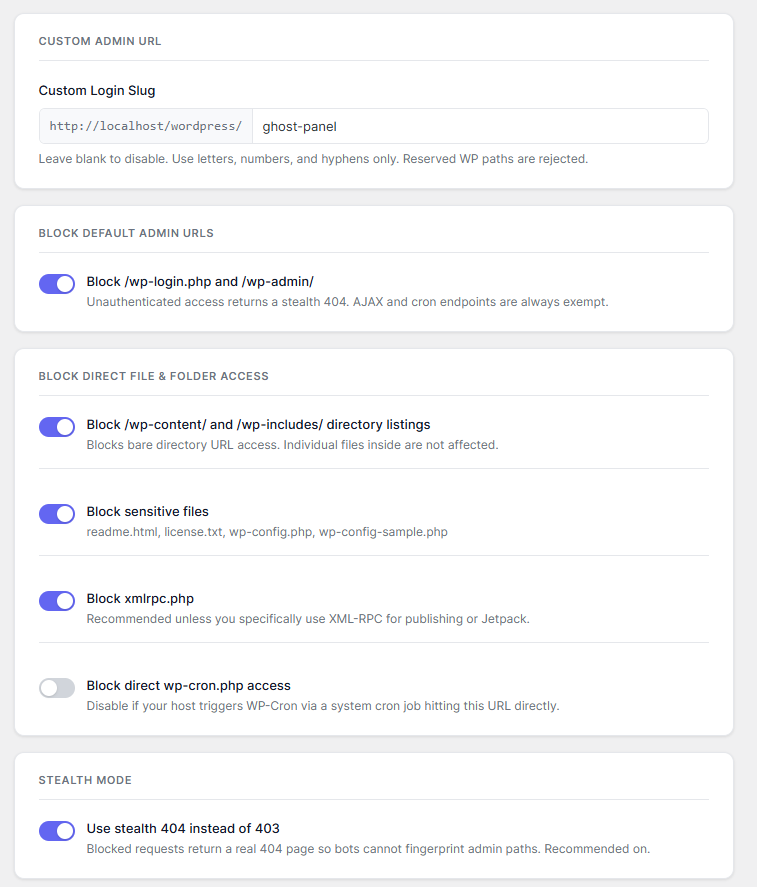
The landing page uses the actual plugin interface as the product signal: light cards, clean labels, and the same blue-violet control language used in WordPress admin.
GhostAdmin removes the obvious WordPress footprint bots look for. Replace /wp-login.php with your own slug, return stealth 404s on default admin paths, and block high-signal files before scanners learn anything useful.
The landing page uses the actual plugin interface as the product signal: light cards, clean labels, and the same blue-violet control language used in WordPress admin.
Set a private URL like /ghost-panel/ and keep the standard WordPress login route out of sight.
Unauthenticated requests to /wp-admin/ or /wp-login.php can return a normal 404 page.
Default admin routes can disappear into a normal not-found response instead of advertising a login form.
External HTTP requests, trackers, analytics beacons, or third-party dependencies in the plugin itself.
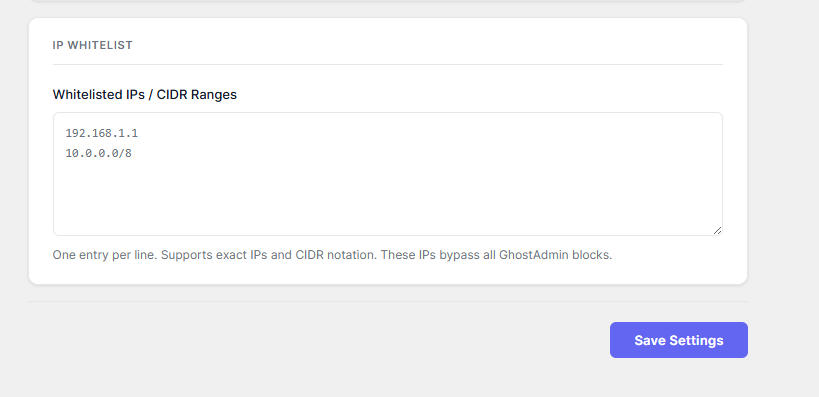
Hardening layers in one screen: custom slug, default URL block, file block, XML-RPC block, and IP whitelist.
Open source code with a direct GitHub repository and a lightweight install path for self-hosted WordPress.
The plugin is narrow by design: remove the obvious admin entry points, return less information to unauthenticated requests, and keep legitimate admin traffic working.
Replace the standard login path with a slug you control, like /ghost-panel/, while logged-in administrators continue moving through WordPress normally.
Unauthenticated requests to /wp-login.php and /wp-admin/ can return a real 404 page, so scanners learn no more than they would from any missing URL.
Block direct access to XML-RPC, sensitive files like readme.html and wp-config-sample.php, and directory listing paths that expose stack details.
Your plugin already has a distinct light admin system. The landing page now mirrors that exact visual language instead of fighting it with an unrelated dark style.
The plugin keeps everything in a single admin page: slug setup, default path blocking, file blocking, stealth mode, and whitelist rules.
The page is tight, readable, and operational. You can see the login slug, toggle protections individually, and keep recovery paths obvious.
The result is easy to explain visually: your private login stays available on the custom slug, while the default WordPress admin path stops exposing the usual entry point.
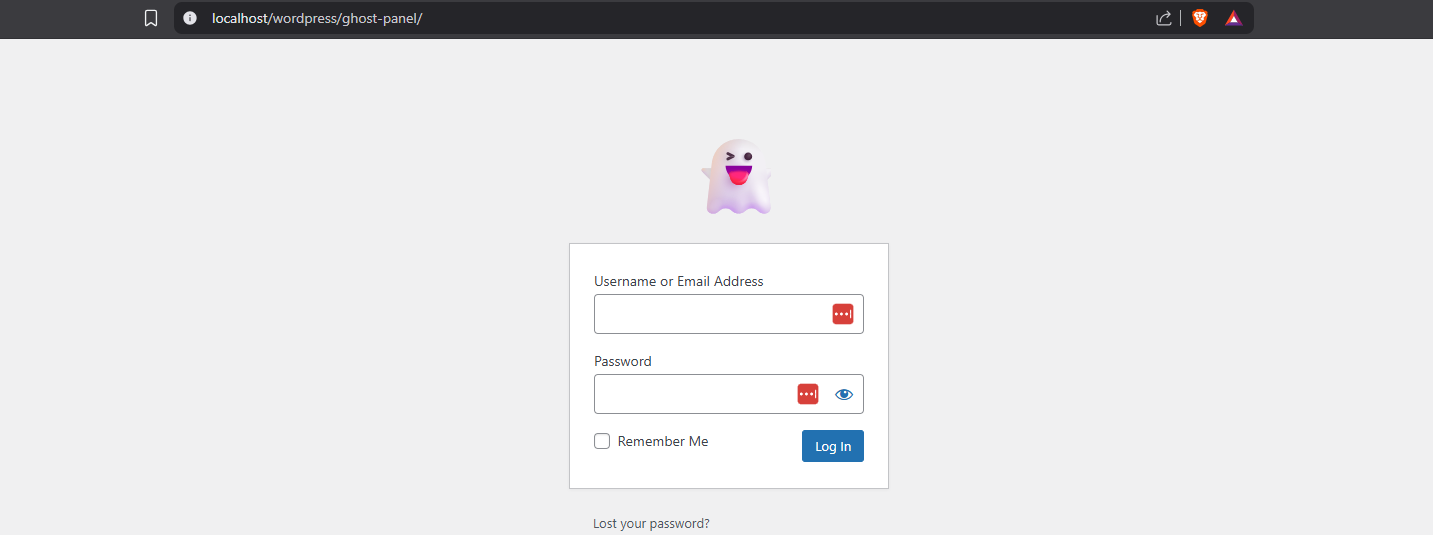
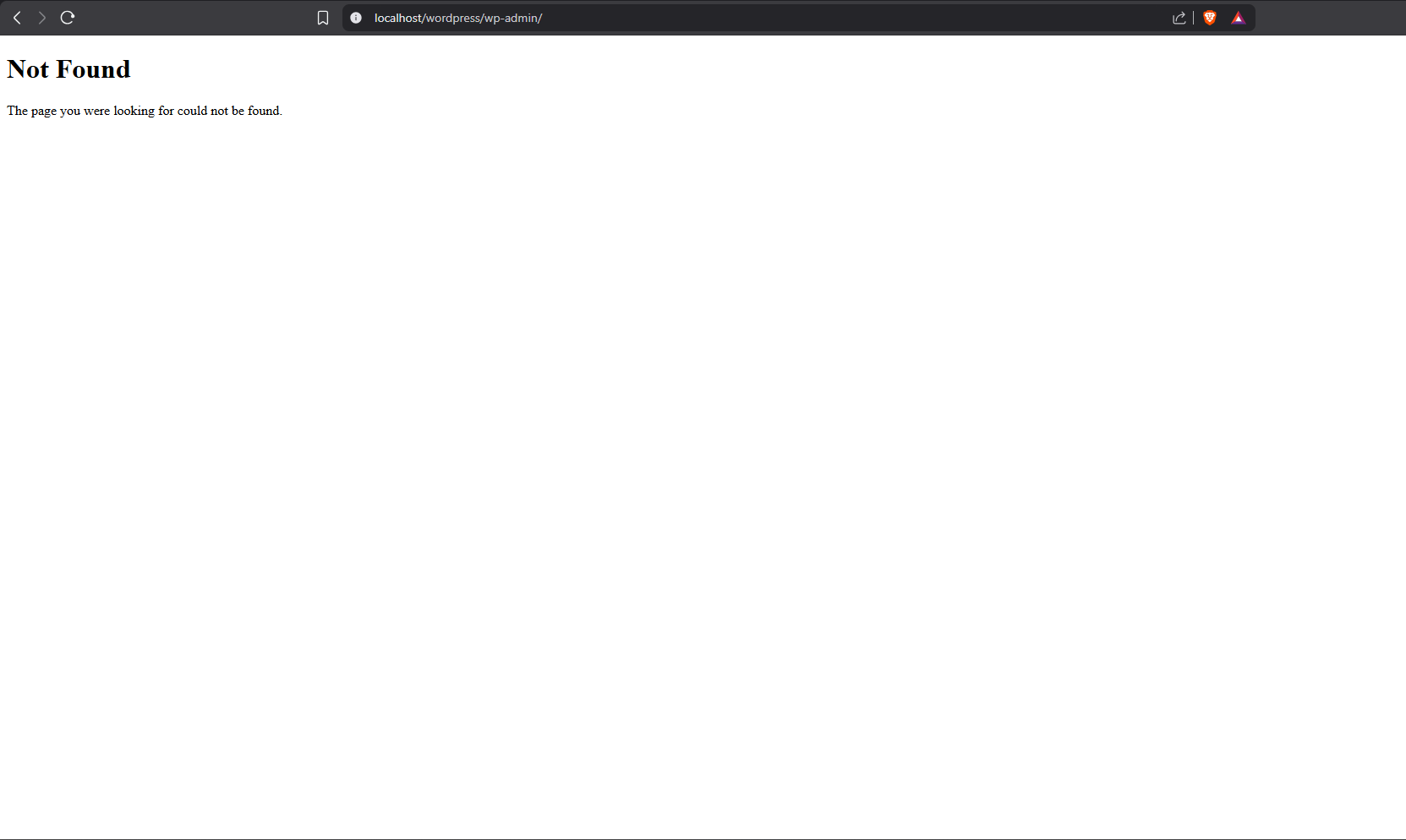
The product story should stay concrete. The page now walks through the exact admin workflow and the requests GhostAdmin is designed to intercept.
Define a custom login slug in the GhostAdmin settings page. The UI previews the base site URL so the final path is obvious before saving.
/ghost-panel/Enable default URL blocking, sensitive file blocking, XML-RPC blocking, and stealth mode. Each option is isolated so the site owner can tune the hardening level.
404 for /wp-admin/Office IPs or CIDR ranges bypass GhostAdmin restrictions. That is useful for teams, controlled infra, and recovery-safe admin access.
10.0.0.0/8GhostAdmin is opinionated about what should never break. That is a stronger pitch than generic security claims, so the page now surfaces it clearly.
Admin bypass is explicit, so site owners can test settings safely while still authenticated.
WooCommerce, forms, and front-end AJAX flows keep working because the plugin avoids blocking those request paths.
If you forget the slug, rename the plugin folder temporarily through FTP or your host file manager to restore the default login URL.
GhostAdmin is not trying to be a full firewall. The value is that it removes the easiest WordPress admin fingerprints and does it with minimal surface area.
The install section is now explicit and product-specific instead of a generic CTA block.
Use the packaged archive included beside this landing page or clone the public repository.
Go to Plugins, choose Add Plugin, upload the zip, then activate GhostAdmin.
Define the private login path before turning on default URL blocking, then save the settings.
GhostAdmin is a hardening layer. It works best alongside normal WordPress operational discipline: keep backups, use strong credentials, and pair it with broader server or firewall protections when needed.
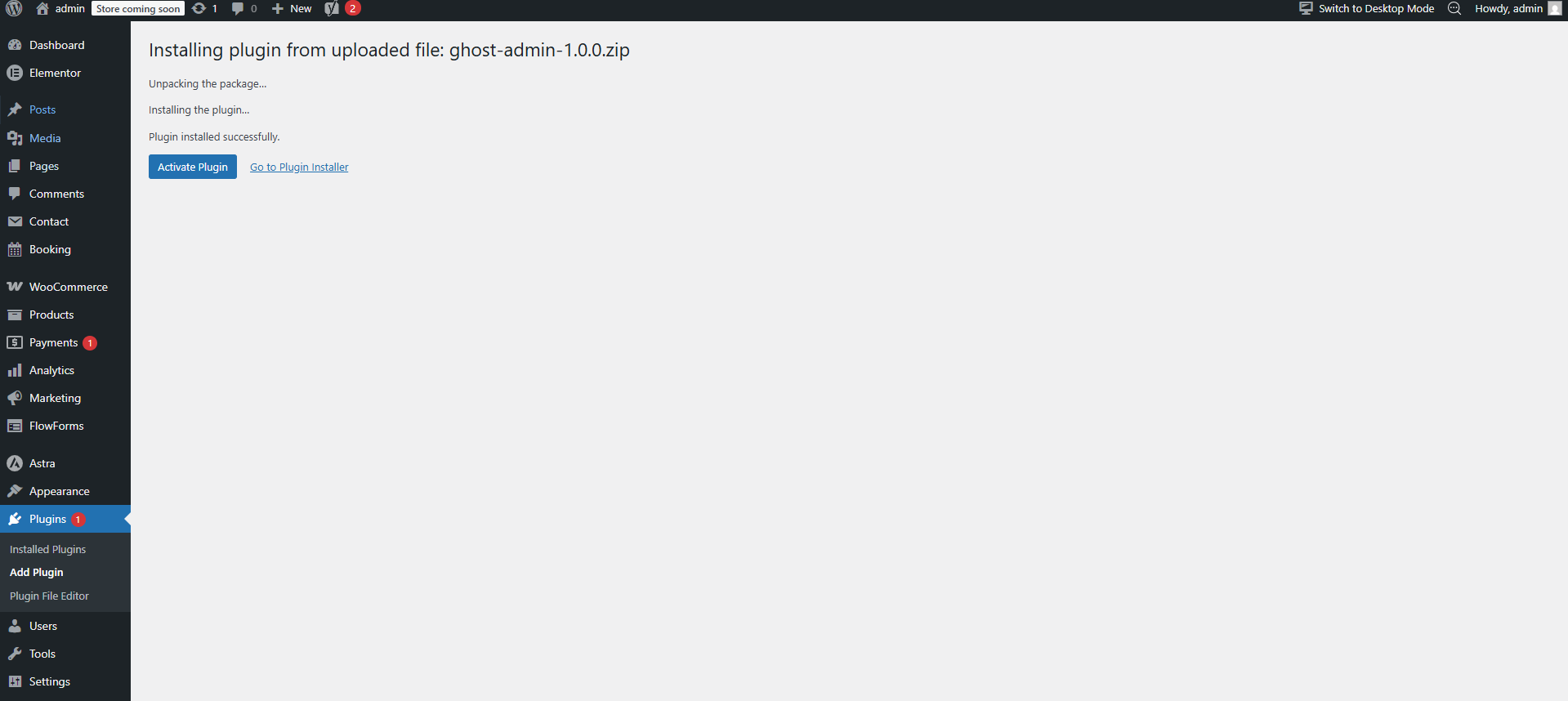
Download the zip, activate the plugin, set your private slug, and remove the default WordPress admin trail from unauthenticated traffic.